

There’s a message I receive a few times every year, and it’s always some version of this: “Shahid, my website is showing a strange pharmacy page in Google. Please fix it urgently.”
The site is hacked. It’s been hacked for weeks, sometimes months, and the owner only found out when a customer called to ask why their business website was selling suspicious pills. And in almost every single case, the story behind it is the same: the website was built, launched, celebrated, and then never touched again. No updates, no backups, no monitoring. Nothing.
People treat websites like a signboard. You paint it once and it hangs there for ten years. But a website, especially a WordPress website, is not a signboard. It’s more like a car. It runs on software that ages, on parts that need servicing, in an environment full of potholes and, unfortunately, thieves. Skip the servicing long enough and the question is not if something breaks, but when.
Since most of the sites I build and manage run on WordPress, I’ll focus on that, though honestly most of this applies to any website. Here’s what actually happens when maintenance gets skipped, roughly in the order I see it happen.
1. Security holes pile up silently
WordPress powers over 40 percent of the internet, which makes it the most attractive target on the internet. Hackers don’t sit and personally target your small business site. They run automated bots that scan millions of websites daily, looking for one thing: known vulnerabilities in outdated plugins, themes, and WordPress core.
Here’s the part most owners don’t realize. When a plugin developer releases a security update, the vulnerability it fixes becomes public knowledge. Bots begin hunting for sites still running the old version within hours. An outdated plugin isn’t just “a bit old.” It’s a published, documented open door with bots actively checking whether your door is the unlocked one.
Skip updates for six months and your site typically has several of these doors. This is exactly how those pharmacy pages, Japanese keyword spam, and redirect hacks get in. Not through genius hackers. Through a slider plugin nobody updated since 2023.
2. Things quietly stop working
Not everything that breaks announces itself with a hacked homepage. The more common damage is quieter and, in a way, more expensive.
Your contact form stops sending emails after a PHP update, and for two months every inquiry from potential customers disappears into nothing. Your checkout throws an error only on mobile. Your booking calendar conflicts with a theme update and shows no available slots. The WhatsApp button vanishes.
The cruel part is that you don’t visit your own website daily. Your customers do. Which means when something silently breaks, your customers find out before you do, and most of them won’t inform you. They’ll just leave and contact your competitor whose form works.
I once audited a site where the contact form had been broken for around four months. The owner thought business was slow because of the economy. The economy was fine. His inbox was just unreachable.
3. Your speed decays, and your Google ranking follows
A website is slowest the day nobody is maintaining it. Databases bloat with revisions, spam comments, and leftover tables from deleted plugins. Caching breaks after updates and nobody notices. Images pile up unoptimized. The hosting environment moves forward while your setup stands still.
Google notices all of it. Speed and user experience are ranking factors, and a decaying site slowly slides down the results. Rankings you spent years building erode a position at a time, and recovering lost rankings takes far longer than maintaining them ever would.
And if your site does get hacked, it gets much worse. Google flags compromised sites with warnings like “This site may be hacked” in search results, and browsers may show a red danger screen before anyone can even enter. Imagine paying for years of SEO and then greeting every visitor with a security warning.
4. The backup you assumed exists, doesn’t
Ask a website owner if they have backups and they’ll usually say “I think the hosting company does that.” Sometimes yes. Often no, or only for the last few days, or the backups exist but were never tested and turn out to be corrupted exactly when needed.
Here’s the situation nobody wants: your site gets hacked or a bad update destroys it, and the only backups available also contain the hack, because the infection happened weeks before anyone noticed. Now there’s nothing clean to restore. I’ve seen businesses lose years of content, product listings, and customer data this way. Not because of the attack itself, but because there was no clean backup to fall back on.
Proper maintenance means automatic backups, stored somewhere other than the same server, kept for long enough, and occasionally test-restored. That last part is the step everyone skips.
5. The bill at the end is far bigger
Let’s talk money, because “maintenance costs money” is the usual reason for skipping it.
Cleaning a hacked WordPress site properly (finding every backdoor, cleaning the database, resubmitting to Google, restoring trust) costs many times more than a year of maintenance. Emergency work always costs more than scheduled work, in websites just like in health. Add the invisible costs: lost sales during downtime, leads that went to competitors, the customer trust that a “dangerous site” warning burns, and in eCommerce, the very real risk with customer data.
Skipping maintenance doesn’t remove the cost. It just delays it, moves it to the worst possible time, and multiplies it.
So what does proper website maintenance actually include?
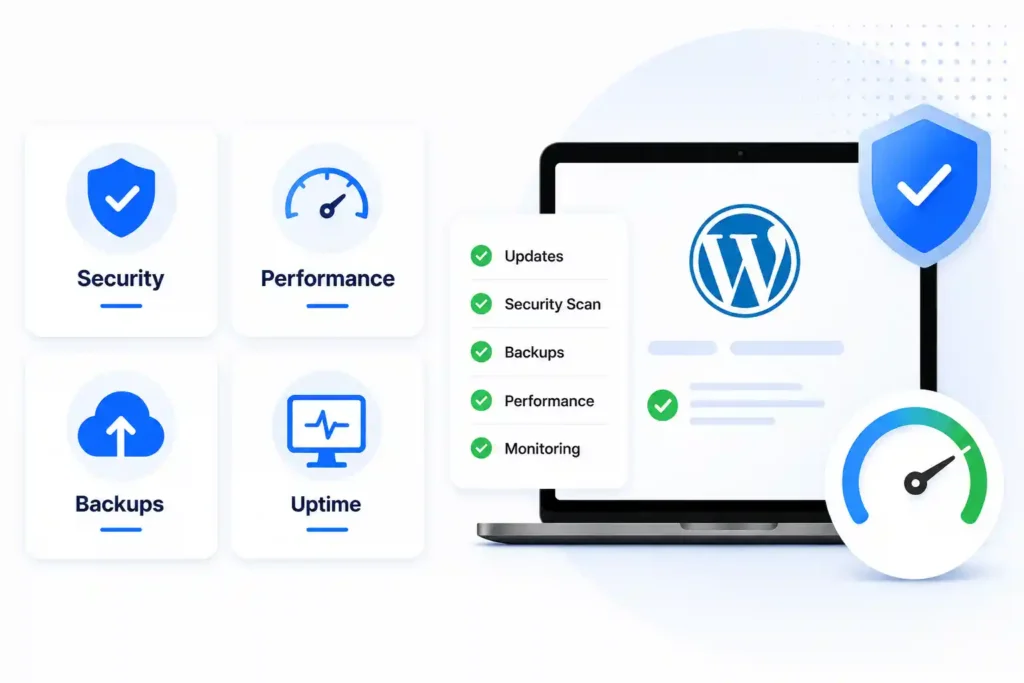
Whether you do it yourself or pay someone, a healthy WordPress maintenance routine looks roughly like this:
Weekly: update WordPress core, themes, and plugins (on a staging copy first for important sites), check that forms, checkout, and key pages work, and review security scans.
Monthly: database cleanup, speed test and fixes, uptime and broken link review, removing unused plugins and themes, checking Google Search Console for warnings.
Always on: automatic offsite backups, a security/firewall plugin properly configured, uptime monitoring that alerts someone the moment the site goes down, and strong passwords with two-factor login.
None of these tasks is difficult on its own. The problem is consistency. Everyone updates plugins enthusiastically for the first month. Almost nobody is still doing it in month eight, and month eight is when the slider plugin exploit arrives.
Can you do it yourself?
Honestly? Yes, if your site is simple and you’re disciplined. The tools are mostly free, and for a basic blog or brochure site, an hour or two per month covers it. If that’s you, set a recurring calendar reminder and actually follow the routine above.
But if your website brings you business, if it has WooCommerce, bookings, memberships, or customer data, or if you simply know yourself well enough to admit the calendar reminder will be ignored, then having a professional handle it makes plain financial sense. You’re not paying for updates. You’re paying for the problems that never happen, the broken form that gets caught in hours instead of months, and the clean backup that exists on the worst day.
The bottom line
A website without maintenance isn’t a finished project. It’s a countdown timer. Everything works fine, until the day it very much doesn’t, and that day always arrives at the worst time, usually right before your busy season.
If you can commit to the routine yourself, genuinely, do it. Your future self will thank you.
And if you’d rather hand it to someone who does this every day: website maintenance is one of my core services. I keep client sites updated, backed up, secured, fast, and monitored, so the “urgent, my site is showing pharmacy ads” message is one you’ll never have to send. Get in touch and let’s make sure your website stays an asset instead of becoming a liability.